

Introduction
Instagram is one of the most popular social media platforms in the world. Millions of people use it every day to share photos, videos, stories, and private messages. With so much content being shared, users often wonder about privacy and notifications, especially when taking screenshots. One of the most searched questions online is: does instagram notify when you screenshot a post?
If you have ever wanted to save an interesting post, capture a funny meme, or keep an important conversation, you may have hesitated because you feared Instagram would alert the other person. Fortunately, the rules regarding screenshots are fairly straightforward, although there are some exceptions that users should know.
In this complete guide, we will explain whether Instagram sends notifications when you screenshot a post, story, or DM. We will also cover privacy tips, common myths, and everything you need to know about screenshot notifications on Instagram.
Does Instagram Notify When You Screenshot a Post?
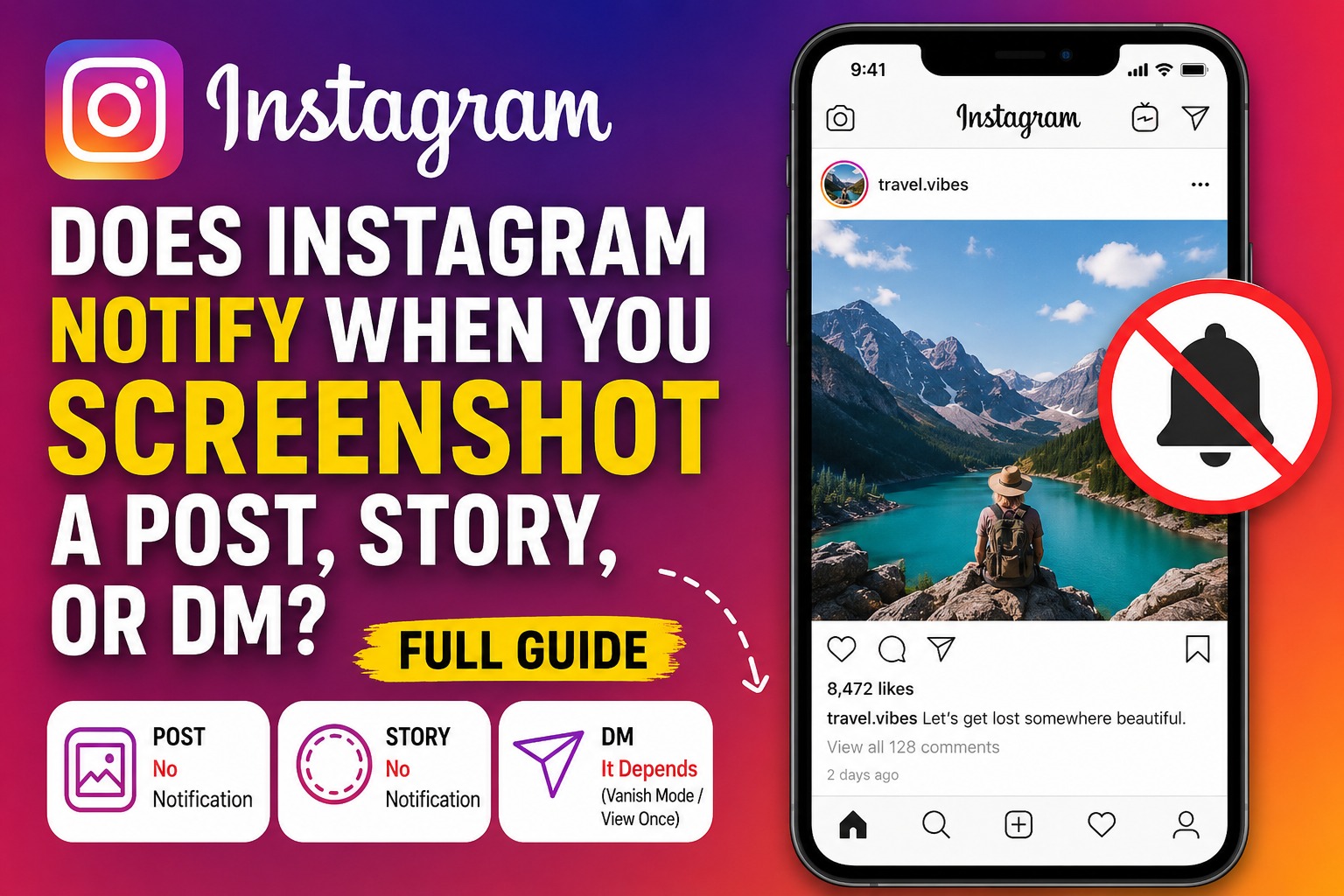
The short answer is no. Instagram does not notify users when someone takes a screenshot of their regular posts.
Whether it is a single photo, a carousel post containing multiple images, or a video posted on someone’s profile, you can take a screenshot without the creator being informed. This has been Instagram’s policy for years, and as of 2026, it remains unchanged.
This means that if you screenshot:
- A photo post
- A video thumbnail
- A carousel of images
- A meme or infographic
- A public or private account’s post that you can view
Instagram will not send any notification to the owner of that content.
Many users worry that a hidden feature or update might reveal their activity, but currently there is no indication that Instagram plans to notify users about screenshots of normal posts. Therefore, if your question is does instagram notify when you screenshot a post, the answer is a clear and simple no.
What Happens When You Screenshot an Instagram Story?
Instagram Stories work differently from regular posts because they disappear after 24 hours. This temporary nature has led many users to believe that screenshots trigger notifications.
The good news is that Instagram does not notify users when you screenshot a story. You can capture a friend’s vacation photo, save a recipe, or keep an inspiring quote without the story owner receiving an alert.
However, this wasn’t always the case. In the past, Instagram tested a feature that notified users when someone took a screenshot of their story. The experiment was unpopular and was eventually removed.
As of 2026:
- Screenshotting stories does not send notifications.
- Screen recording stories does not send notifications.
- Saving stories with your device’s screenshot feature remains private.
Although Instagram currently does not notify users, policies can change. Therefore, users who are concerned about privacy should occasionally check Instagram’s latest updates.
Screenshot Notifications in Instagram Direct Messages (DMs)
Direct Messages, commonly known as DMs, are where Instagram becomes a bit stricter.
If you take a screenshot of a normal chat conversation, Instagram does not send a notification. This includes:
- Text messages
- Shared posts
- Shared reels
- Voice notes
- Photos that remain in the chat permanently
However, there is one important exception.
Instagram does notify users if you screenshot a disappearing photo or video sent through Vanish Mode or the “View Once” feature.
In these cases:
- The sender receives a screenshot notification.
- A small icon may appear inside the chat.
- The screenshot activity becomes visible to the other participant.
This feature exists to protect users’ privacy and discourage unauthorized sharing of temporary content.
Therefore, if you are asking does instagram notify when you screenshot a post, the answer is no. But if you screenshot disappearing content inside DMs, the answer is yes.
Why Do People Screenshot Instagram Content?
There are many reasons why users take screenshots on Instagram. Most of them are completely harmless and relate to saving useful or entertaining content.
Some common reasons include:
Saving Information
People often screenshot recipes, workout routines, travel recommendations, or shopping ideas so they can access them later.
Capturing Memes and Funny Posts
Instagram is full of humor and viral content. Users frequently screenshot memes to share with friends outside the app.
Keeping Inspirational Quotes
Motivational quotes and life advice are widely shared on Instagram. Taking a screenshot is an easy way to save content that resonates with you.
Recording Important Conversations
Sometimes users save conversations for reference, especially when discussing business deals, collaborations, or personal matters.
Preserving Temporary Content
Stories disappear after 24 hours, so screenshots help users save memorable moments before they vanish.
In most cases, screenshotting content is normal behavior and does not violate Instagram’s policies as long as the content is not misused or shared without permission.
Instagram Privacy Features You Should Know About
Instagram provides several privacy features that help users control who sees their content and how it is shared.
Private Accounts
When your account is private, only approved followers can view your posts and stories. This provides an additional layer of protection.
Close Friends Stories
The Close Friends feature allows users to share stories with a selected group of people instead of all followers.
Vanish Mode
Messages sent in Vanish Mode disappear after they are viewed or after the chat is closed. Screenshot notifications are enabled in this mode.
View Once Photos and Videos
These media files can only be viewed one time. If the receiver takes a screenshot, Instagram notifies the sender.
Restrict and Block Features
Users can restrict or block accounts that make them uncomfortable, helping them maintain control over their interactions.
Understanding these privacy features is essential because they explain why Instagram treats screenshots differently in various sections of the app.
Common Myths About Instagram Screenshot Notifications
There are many myths surrounding screenshot notifications on Instagram. Let’s clear up the most common ones.
Myth 1: Instagram Notifies for Every Screenshot
This is false. Instagram does not notify users when you screenshot regular posts, stories, reels, or profile pages.
Myth 2: Screen Recording Is Detected
Instagram generally does not notify users when someone screen records posts or stories.
Myth 3: Third-Party Apps Can Reveal Screenshots
Many websites claim they can tell you who screenshots your content. These claims are usually false. Instagram does not provide such information to third-party apps.
Myth 4: Private Accounts Prevent Screenshots
Private accounts restrict access to content, but they do not stop followers from taking screenshots.
Myth 5: Screenshot Notifications Were Recently Added
Instagram tested story screenshot notifications years ago but removed the feature. Currently, notifications exist only for disappearing media in DMs.
Knowing the truth behind these myths can save users from unnecessary confusion and anxiety.
How to Protect Your Privacy on Instagram
Even though Instagram doesn’t notify you when someone screenshots most of your content, there are several ways to protect your privacy.
Think Before Posting
Once something is posted online, there is always a possibility that others may save or share it. Avoid posting sensitive information publicly.
Use a Private Account
A private account gives you greater control over who can see your content.
Share Sensitive Content Carefully
If you send private photos or videos, use disappearing messages or View Once mode. Remember that screenshot notifications are active for these features.
Review Your Followers
Regularly check your follower list and remove accounts you do not trust.
Limit Story Visibility
Use the Close Friends feature to share personal moments with a smaller audience.
Privacy on social media ultimately depends on the choices users make. Even the best privacy settings cannot completely prevent others from saving content.
Are There Alternatives to Taking Screenshots?
Yes, there are several alternatives that allow users to save content without taking screenshots.
Save Posts
Instagram offers a built-in Save feature that lets users bookmark posts for later viewing.
Collections
Users can organize saved posts into collections such as travel ideas, recipes, fashion inspiration, or favorite memes.
Share to Messages
Instead of screenshotting, you can send posts to yourself or friends through Instagram DMs.
Download Your Own Content
Instagram allows users to download their own account data, including photos and videos they have uploaded.
These alternatives can help users organize content more effectively while respecting creators’ work.
Frequently Asked Questions
Does Instagram notify when you screenshot a post?
No. Instagram does not notify users when you screenshot regular posts.
Does Instagram notify story screenshots?
No. Screenshotting stories does not trigger notifications.
Does Instagram notify when you screenshot reels?
No. Reels can be screenshotted without notifying the creator.
Does Instagram notify profile screenshots?
No. Users are not alerted when someone screenshots their profile page.
Does Instagram notify DM screenshots?
Only in certain cases. Instagram sends notifications when you screenshot disappearing photos or videos in Vanish Mode or View Once messages.
Can third-party apps detect screenshots?
No reliable third-party app can tell you who screenshots your Instagram content.
Final Thoughts
So, does instagram notify when you screenshot a post? The answer is no. You can screenshot regular posts, stories, reels, and profile pages without the other person being notified.
The only major exception involves disappearing photos and videos sent through DMs using Vanish Mode or View Once. In those situations, Instagram alerts the sender to protect privacy.
Understanding these rules can help users use Instagram with greater confidence. Whether you are saving a recipe, capturing an inspiring quote, or preserving an important conversation, knowing when notifications are sent—and when they are not—eliminates confusion.
Instagram continues to evolve, but as of 2026, screenshots of posts and stories remain private. Staying informed about the platform’s privacy features will help you enjoy social media safely while respecting the privacy of others.