

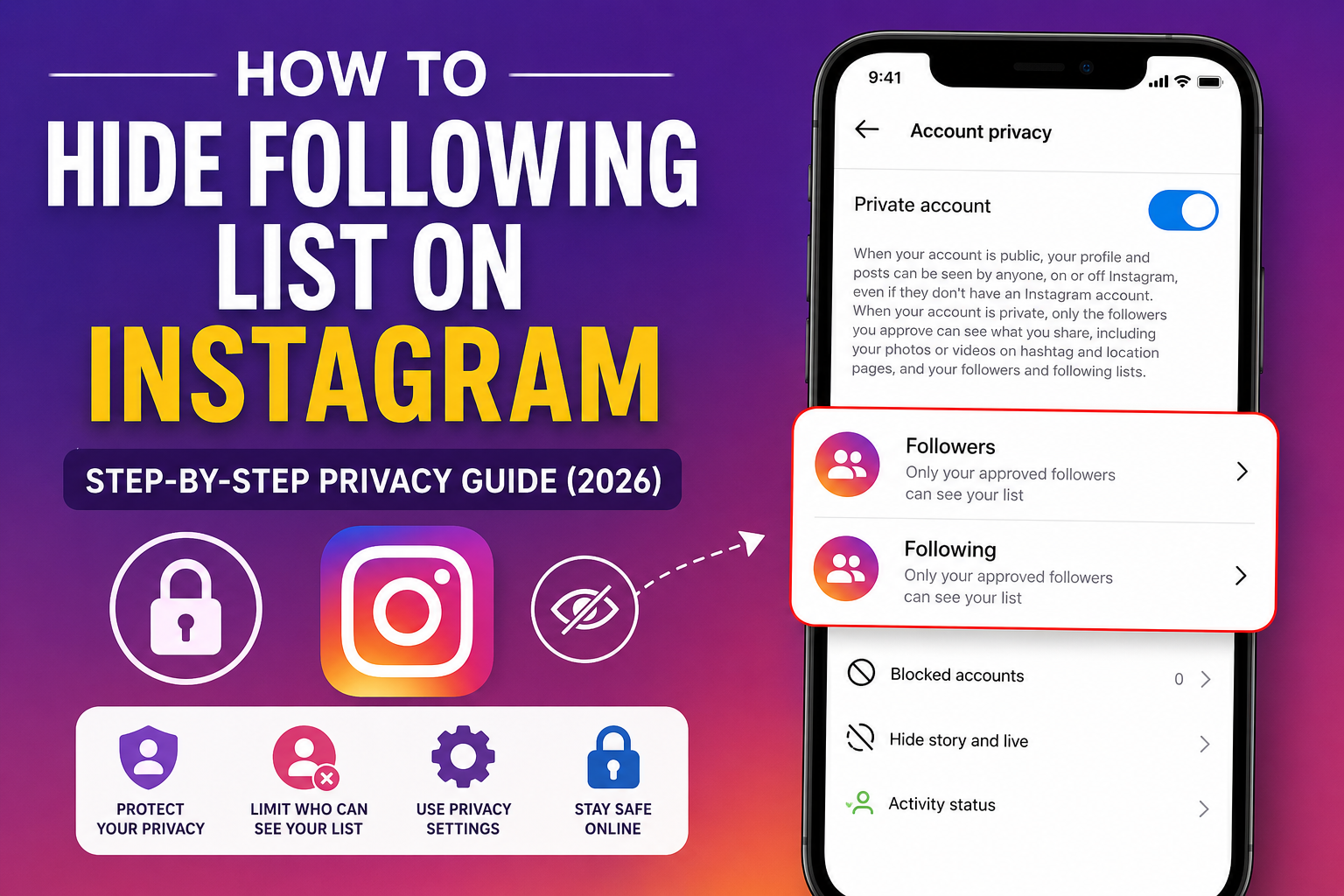
Instagram has become one of the world’s most popular social media platforms, connecting billions of users through photos, videos, Stories, and Reels. While it offers plenty of opportunities to interact with friends, family, creators, and businesses, it also raises important privacy concerns. One of the most common questions users ask is how to hide following list on Instagram.
Many people prefer to keep their following list private to protect their personal interests, avoid unwanted attention, or simply maintain better control over their online presence. Whether you’re using Instagram for personal reasons or managing a professional account, understanding what privacy options are available is essential.
The truth is that Instagram’s privacy settings have changed over the years, and many older guides no longer reflect how the platform works in 2026. In this guide, you’ll learn exactly what is and isn’t possible, the best privacy settings to use, and practical tips to limit who can see your activity.
Why People Want to Hide Their Following List on Instagram
There are many reasons why someone may want to hide who they follow on Instagram. Privacy is the biggest factor. Some users simply don’t want strangers, coworkers, classmates, or acquaintances browsing through the accounts they follow.
For businesses and influencers, competitors often examine following lists to discover marketing strategies, partnerships, or target audiences. Keeping that information less accessible can provide an extra layer of privacy.
Some users also want to avoid unnecessary drama. Friends, family members, or partners sometimes check following lists, leading to uncomfortable conversations or misunderstandings. Others simply believe their social media activity should remain personal.
As online privacy becomes increasingly important, more Instagram users are searching for reliable ways to limit access to their following list.
Can You Actually Hide Your Following List on Instagram?
This is the most important question.
The short answer is no—Instagram does not currently provide a feature that completely hides your following list from everyone.
Many websites claim there is a secret setting that hides your following list, but this information is inaccurate. As of 2026, Instagram does not include a dedicated option that allows users to make their following list invisible while keeping the account public.
However, there are several privacy settings that significantly reduce who can view your profile and your following list.
If your account is public, almost anyone can visit your profile and see the accounts you follow.
If your account is private, only approved followers can access your profile information, including your following list.
This means switching to a private account is currently the most effective method available for people searching for how to hide following list on Instagram.
Switch Your Instagram Account to Private
Making your account private is the easiest and most effective privacy measure available.
Once your account becomes private:
- Only approved followers can view your profile.
- New users must send a follow request.
- You decide who gets access.
- Strangers cannot freely browse your content.
- Your following and follower lists become visible only to approved followers.
Steps to Make Your Instagram Account Private
- Open Instagram.
- Tap your profile picture.
- Tap the menu in the upper-right corner.
- Open Settings and Privacy.
- Select Account Privacy.
- Turn on Private Account.
- Confirm your selection.
After enabling this setting, existing followers remain approved automatically. Anyone new must request permission before viewing your account.
Although this doesn’t completely hide your following list from your followers, it blocks access from everyone else.
Remove Followers You Don’t Trust
If your account is already private, another effective privacy strategy is removing followers you no longer want viewing your profile.
Many users forget that making an account private doesn’t automatically remove people who already follow them. Those approved followers continue seeing your posts, Stories, followers, and following list.
Removing unwanted followers helps limit access without notifying them directly.
How to Remove Followers
- Open your Instagram profile.
- Tap Followers.
- Find the person you want to remove.
- Tap Remove beside their name.
- Confirm your decision.
Instagram does not send a notification when someone is removed from your followers list.
If they attempt to view your profile again, they’ll need to submit a new follow request, which you can accept or decline.
Regularly reviewing your followers is one of the simplest ways to improve your privacy.
Block Specific Users from Viewing Your Following List
Sometimes you don’t want to make your account private, but you also don’t want a specific individual viewing your profile.
Blocking is the strongest privacy option available.
When someone is blocked:
- They cannot view your profile.
- They cannot see your following list.
- They cannot see your followers.
- They cannot message you.
- They cannot interact with your posts.
Steps to Block Someone
- Visit the person’s profile.
- Tap the three dots in the top corner.
- Select Block.
- Confirm your choice.
Instagram also gives users the option to block additional accounts created by the same person, making it more difficult for them to access your profile through alternate accounts.
Blocking may seem like a drastic solution, but it’s appropriate when privacy or personal safety is a concern.
Understand Instagram’s Privacy Limitations
Many users search online expecting a hidden setting that completely conceals their following list.
Unfortunately, Instagram intentionally keeps follower and following relationships visible within its privacy framework.
There are several reasons for this approach:
- It promotes transparency between users.
- It helps reduce fake engagement.
- It makes spam accounts easier to identify.
- It supports account discovery.
- It improves trust within the platform.
Because of these design choices, no legitimate app or setting can completely hide your following list from approved followers.
Be cautious of websites or third-party apps claiming they can unlock hidden Instagram privacy features. Many of these services request your login information, which can put your account at risk. Instagram does not authorize external apps to modify visibility settings beyond the options available inside the official app.
The safest approach is to rely only on Instagram’s built-in privacy tools and avoid sharing your credentials with any unofficial service.
Common Myths About Hiding Your Following List on Instagram
There is a lot of misinformation online about Instagram privacy. Many blogs, YouTube videos, and third-party websites claim there are hidden tricks that let you completely hide your following list. Unfortunately, most of these claims are outdated or simply false.
One common myth is that switching to a professional or business account automatically hides your following list. In reality, account type has no effect on who can view your followers or following. Whether you have a personal, creator, or business account, Instagram follows the same visibility rules.
Another myth is that certain third-party apps can hide your following list. These apps often promise extra privacy features, but Instagram does not allow external applications to change your account’s visibility settings. Many of these services are designed to collect your login credentials or personal information, putting your account at risk of hacking or suspension.
Some users also believe that restricting someone prevents them from seeing the accounts they follow. Restricting only limits interactions such as comments and direct messages. It does not hide your profile information, followers, or following list.
The best way to protect your privacy is to rely only on Instagram’s official settings and avoid apps or websites making unrealistic promises.
Additional Instagram Privacy Settings You Should Use
Although you cannot completely hide your following list, Instagram offers several privacy settings that help protect your account and personal information. Combining these settings provides a much stronger level of privacy.
First, consider hiding your activity status. This prevents other users from seeing when you were last active or currently online. You can disable this option in Settings and Privacy > Messages and Story Replies > Show Activity Status.
Next, review your Story privacy settings. Instagram allows you to hide Stories from selected users or share them only with your Close Friends list. This gives you greater control over who sees your daily updates.
You should also manage comment controls. Instagram lets you block comments from specific users or filter offensive language automatically, helping create a more positive experience.
Tag and mention controls are another useful feature. You can choose who is allowed to tag or mention your account, reducing unwanted notifications and spam.
Finally, enable Two-Factor Authentication (2FA) to improve your account security. Even if someone learns your password, they won’t be able to access your account without the verification code sent to your trusted device.
Using these privacy tools together creates a safer Instagram experience, even though your following list cannot be completely hidden.
Tips to Keep Your Instagram Account More Private
Improving your privacy goes beyond simply changing one setting. Good security habits make a significant difference in protecting your account.
Start by reviewing your follower list every few months. Remove people you no longer know or trust. This is especially important if your account contains personal photos or private moments.
Be selective when accepting follow requests. Avoid approving unknown accounts with little activity, no profile picture, or suspicious usernames.
Use a strong, unique password that combines uppercase letters, lowercase letters, numbers, and special characters. Avoid reusing passwords from other websites.
Keep your email address and phone number updated so you can recover your account if necessary.
Regularly check your login activity through Instagram’s security settings. If you notice unfamiliar devices or locations, log them out immediately and change your password.
Also, avoid sharing sensitive personal information in your bio, captions, or Stories. Even seemingly harmless details can sometimes be used for phishing or identity theft.
By following these simple habits, you’ll significantly improve your overall Instagram privacy and security.
Frequently Asked Questions About How to Hide Following List on Instagram
Can I completely hide my following list on Instagram?
No. As of 2026, Instagram does not provide an official feature that completely hides your following list from everyone. The closest option is making your account private.
Does a private account hide my following list?
Yes, but only from people who are not approved followers. Your accepted followers can still view your following and followers list.
Can blocked users see my following list?
No. Once you block someone, they cannot view your profile, posts, followers, or following list.
Does restricting someone hide my following list?
No. Restricting only limits certain interactions. It does not affect the visibility of your following list.
Can third-party apps hide my following list?
No. Any app claiming to offer this feature should be treated with caution. Instagram does not allow external apps to change profile visibility settings beyond the official options.
Will Instagram add this feature in the future?
Instagram frequently updates its privacy features, so it’s possible that more advanced controls may be introduced. However, there has been no official announcement confirming a feature that fully hides the following list.
Final Thoughts
If you’ve been searching for how to hide following list on Instagram, it’s important to understand what is currently possible. Instagram does not offer a built-in option to completely hide your following list from everyone. However, you can still improve your privacy by making your account private, removing unwanted followers, blocking specific users, and using Instagram’s additional privacy and security settings.
Online privacy is becoming more important every year, and taking a few minutes to review your Instagram settings can help you feel more secure while using the platform. Remember to rely only on Instagram’s official features and avoid third-party apps that promise impossible privacy options.
Although there isn’t a perfect solution today, following the steps outlined in this guide will give you the highest level of privacy currently available. As Instagram continues to evolve, staying informed about new features and regularly reviewing your account settings will help you maintain better control over your online presence.